Porting the EFR32's radio to Rust
Implementing Rust support for the proprietary 2.4 GHz radio of the Silicon Labs EFR32, and its pitfalls.
EFR32 (short for energy-friendly radio 32-bit) refers to a series of low-power 2.4GHz radio SoCs produced by Silicon Labs 1. Their radio interface allows sending and receiving BLE and Zigbee packets to communicate with other 2.4 GHz radios. Sounds easy. But depending on how you want to use it, it isn't: You can only program it using the official proprietary RAIL SDK with the Simplicity Studio IDE. In C. Silicon Labs does not provide support for non-C-based programming languages.
But what if you don't want to use C? If you don't want to spend hours debugging segfaults, undefined behavior, or unsafe implicit casts? The embedded Rust ecosystem is steadily growing, and can provide us with all the safety that C doesn't 2.
The goal of the efr32-rail-rs project is to program the SoC's radio with Rust. So let's start.
Short overview on the EFR32MG22E
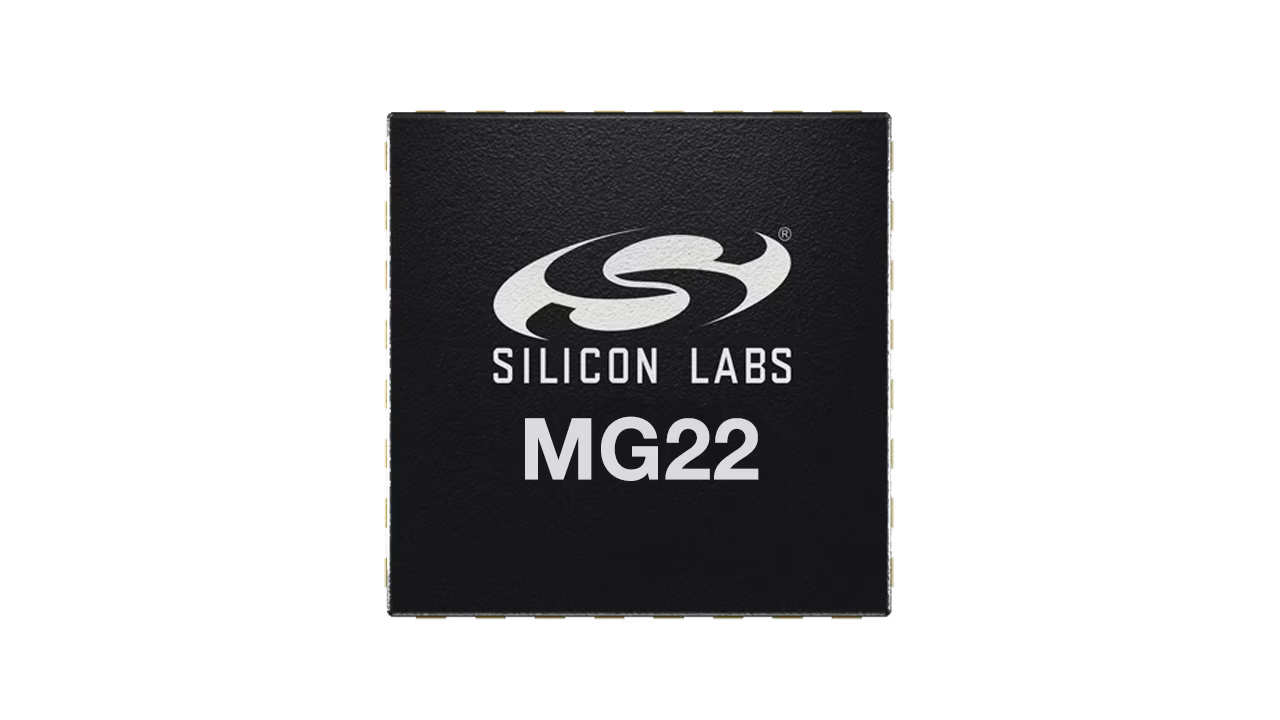
The EFR32MG22E is a low-power SoC built for embedded applications. It has an inbuilt single core Cortex M33 and 512kB flash and 32kB SRAM. If you've already been fiddling around with embedded devices a bit, the specs of the EFR32MG22E might look a bit familiar - in many aspects it's very similar to Nordic's nRF52 series, which is widely used for embedded applications, e.g. in ZSWatch 3. However, while the nRF family of devices has official Rust support, there's no such thing for the EFR32. This means that we can't simply use an official Rust library that does the magic for us, but instead, we have to write our own hardware abstraction layer (HAL) for the radio interface.
A hardware abstraction layer (HAL) is a high-level wrapper around the features of a device. Because it hides low-level implementation details, this makes it much easier to develop applications. For example, a HAL would provide methods like
GpioPin::set_high, allowing you to turn an LED on or off without needing to worry about how this works on a hardware level (i.e. which bits in the SoC's memory registers would need to be set). See the Wikipedia article for more details.
But to start off, let's first take a look at how the radio is supposed to be used when programming it with C (as intended by Silicon Labs).
The RAIL API
Usually, for most of the EFR32's peripherals (e.g. GPIO, UART, …), you can directly send instructions to the SoC by writing its memory registers. However, Silicon Labs decided to not provide any documentation about how the radio works internally, i.e. which registers would need to be written. Their justification for that is great: "However, a general purpose, multiprotocol capable radio, like the Wireless Gecko (EFR32™) is very complex, and would take months to understand." 4. Okay, because they think that the radio is too complex to understand, they don't even give us a chance to try understanding it? Instead, they publish binary blobs of there so called Radio Abstraction Interface Layer (RAIL) API 5, which is a C library to access the radio. And that's where the fun begins…
To use RAIL in Rust, we have to embed the pre-compiled RAIL blobs from Silicon Labs into our Rust app and try to somehow rebuild the black magic the Silicon Studio IDE does automatically to get the radio to work. To get started we make a short trip to the world of Rust FFIs (Foreign Function Interfaces) for C libraries. If you're already familiar with bindgen and cc-rs, you may skip to the next section.
Side Note: Embedding C Binaries into Rust Apps
Fortunately, Rust has a pretty cool library called bindgen which can autogenerate bindings for C-like languages at compile time.
In this example, we want to declare a simple magic(int a, int b) method in C and call it from Rust. Our C code looks like the following:
1 int magic(int a, int b) {
2 return a + b;
3 }
Additionally, we need a header file which declares all the public methods of our library:
1 int magic(int a, int b);
Generating C-to-Rust Bindings
We can use bindgen to generate Rust bindings for our code at compile time:
1 use std::{env, path::PathBuf};
2
3 fn main() {
4 // Generate bindings for "magic.h".
5 let bindings = bindgen::Builder::default()
6 .use_core() // only needed if targeting embedded devices
7 .header("magic.h")
8 .parse_callbacks(Box::new(bindgen::CargoCallbacks::new()))
9 .generate()
10 .unwrap();
11
12 // Write the bindings to the $OUT_DIR/bindings.rs file.
13 let out_path = PathBuf::from(env::var("OUT_DIR").unwrap());
14 bindings
15 .write_to_file(out_path.join("bindings.rs"))
16 .expect("Couldn't write bindings!");
17 }
This generates the Rust bindings for each method in magic.h and writes them to a file called bindings.rs into our cargo build directory. You can inspect the output using cat target/debug/build/efr32-c-bindings-*/out/bindings.rs (or, if cross-compiling, cat cat target/thumbv8m.main-none-eabihf/debug/build/efr32-c-bindings-*/out/bindings.rs). The output will look like the following:
1 /* automatically generated by rust-bindgen 0.72.1 */
2
3 unsafe extern "C" {
4 pub fn magic(a: ::core::ffi::c_int, b: ::core::ffi::c_int) -> ::core::ffi::c_int;
5 }
As we can see, the function definition looks exactly the same as in our magic.h headerfile, so we now have a Rust method to call our magic function. Nice! You might be wondering why the values are of type ::core::ffi::c_int instead of being a Rust integer type like i32. That's because, depending on the target architecture, the size of an int may differ when compiling C code 6.
Note that we still haven't linked anything yet - the bindings declare all methods as
extern, which means that their actual implementations are not included in our Rust code and instead have to be provided at compile time.
To use these bindings, we can now include the bindings into our src/main.rs using the include! macro:
1 include!(concat!(env!("OUT_DIR"), "/bindings.rs"));
2
3 fn main() {
4 let result = unsafe { magic(3, 4) };
5 assert_eq!(result, 7);
6 }
The include! macro copies all the auto-generated code from bindings.rs into our file src/main.rs, making all its declared methods accessible within the current crate. In order to call our magic method, we have to use the unsafe keyword. As the Rust compiler can't enforce any memory safety guarantees for externally provided machine code (i.e. code that rustc doesn't compile at the same time as our app), calls to external methods are always unsafe.
Linking Against C Binaries
To be able to link this C code into the resulting binary, we first have to compile the C code into a binary format. We could automate this by using cc-rs, but we'll stick with manually compiling our C code for now. To do that, run clang --target=arm-none-eabi-hf -c magic.c -o magic.o. If you want to test this on your host and not an EFR32, you can omit the explicit target triple 7 --target=arm-none-eabi-hf to compile it for your system's architecture. -c tells clang to only run "preprocess, compile, and assemble steps" 8, so it skips the final linking process and produces an object file in the end. We're doing this because we want to defer the linking process to a later point in time, when our Rust app gets compiled.
Then, we have to create a library archive with llvm-ar rc libmagic.a magic.o. This creates a static library archive libmagic.a that includes the contents of the object files we provide, in our case only from magic.o (you could also include additional object files here).
Finally, we have to tell the linker that it should search libmagic.a for resolving symbols at compile time, so that it can find our magic method. There are two ways to do this: We can either manually specify a linker argument in .cargo/config.toml, or we can tell Rust to automatically set the required linker argument by adding a Cargo instruction to our build.rs 9 10.
1 fn main() {
2 ...
3
4 // tell the linker to also search for libraries in the project's root directory
5 let project_root_dir = env::var("CARGO_MANIFEST_DIR").unwrap();
6 println!("cargo:rustc-link-search={}", project_root_dir);
7
8 // link against libmagic.a
9 println!("cargo:rustc-link-lib=static=magic");
10 }
We're doing two things here:
- First, we tell
rustcto also search our current working directory for the compiled archive library (i.e.libmagic.a). If you moved the binary to a different subfolder, e.g../blobs, you need to replace this with e.g.cargo:rustc-link-search={}/blobs. - Second, we tell
rustcto link against a static library calledmagic. This makesrustcsearch for a file calledlibmagic.ain all its linker search paths and use it to resolve external symbols our Rust app calls.
The linker part - Embedding RAIL into Rust
To use the RAIL API in Rust, we have to access its functionality via FFI, similar to how we discussed in the previous section. There are some differences, which we'll look into in more detail in the following sections, but the core idea is the same: We generate Rust bindings based on the library's header files and link it into our app at compile time using clang's linker lld, which Rust uses by default.
As with most things in life, this didn't go as swift as I wanted it to, but I'll save you from my debugging journeys. Without being able to use the gdb debugger, I'd probably never have managed to get the radio to work. Explaining gdb would be too much for this post, so I'd recommend reading other nice tutorials about it, there are plenty 11.
A good starting point for building an embedded Rust app is the app template from the defmt developers (a logging library for embedded Rust). That's also what I used as a starting point here. Instead of a HAL, we use the efr32mg22-pac in section 5 of the app template's guide as there's no HAL for the EFR32MG22 yet.
Collecting Headerfiles
As already shown in the example, we first need to find all headerfiles that declare functionality of the RAIL API and generate Rust bindings for them. Fortunately, the header files are open source, so we can copy them from the Simplicity SDK. Most importantly, rail.h and sl_rail.h provide access to core functionality of the radio like initializing the radio via sl_rail_init, configure the radio interface via sl_rail_configure_channels and sending packets via sl_rail_start_tx 12.
1 // taken from sl_rail.h in the Simplicity SDKs source code
2 // Copyright 2024 Silicon Laboratories Inc. www.silabs.com, Zlib license
3 sl_rail_status_t sl_rail_init(sl_rail_handle_t *p_rail_handle,
4 const sl_rail_config_t *p_rail_config,
5 sl_rail_init_complete_callback_t init_complete_callback);
When generating Rust bindings, the output looks like the following:
1 pub fn sl_rail_init(
2 p_rail_handle: *mut sl_rail_handle_t,
3 p_rail_config: *const sl_rail_config_t,
4 init_complete_callback: sl_rail_init_complete_callback_t,
5 ) -> sl_rail_status_t;
And in theory, that's all we need on the bindings side. But of course, the reality is different.
Unfortunately, the RAIL API has the caveat that it additionally depends on POSIX methods like strlen that are usually provided through system libraries like musl or glibc. The problem is that we want to execute the app on the EFR32, an embedded target. musl and glibc are platform-dependent, which means that they specifically depend on operating system features (e.g. syscalls). Fortunately, there's the newlib libc, reimplementation of the most important POSIX methods, for use with embedded devices. To use it, we have to install arm-none-eabi-newlib on our system and include it in the clang search paths by adding .clang_arg("-I/usr/lib/arm-none-eabi/include") to the bindgen::Builder in build.rs.
Linking Against the RAIL API
The RAIL API is distributed as a prebuilt archive file via Git LFS (e.g. librail_efr32xg22_gcc_release.a, see here for all supported silabs boards). There's also a version that was compiled with the proprietary IAR compiler, but I chose GCC because it likely integrates better with rustc and contrary to IAR, GCC is FLOSS software.
To link it into our Rust app, we do the same as in the previous example. First, we put the downloaded librail_efr32xg22_gcc_release.a into our root directory and then modify build.rs to link against it.
1 fn main() {
2 ...
3
4 // also search project root directory for libraries
5 let project_root_dir = env::var("CARGO_MANIFEST_DIR").unwrap();
6 println!("cargo:rustc-link-search={}", project_root_dir);
7
8 println!("cargo:rustc-link-lib=static=efr32xg22_gcc_release");
9 }
I assume that you would now expect everything to compile just fine. At least I did. But the reality is different. If you're trying to compile now, you will be flooded with a long list of compile errors, looking like the one below. Damn it.
rust-lld: error: undefined symbol: CORE_EnterCritical
>>> referenced by rfhal_rfsense.c
>>>               rfhal_rfsense.o:(RFSENSE_IRQHandler) in archive /home/bnyro/.cargo/target/thumbv8m.main-none-eabihf/debug/deps/libefr32_rail-b3d9e0064e4de921.rlib
>>> referenced by rail_rf_hal.c
>>>               rail_rf_hal.o:(sli_rail_4316ca4fc8f26ef86197e5e28c021e83) in archive /home/bnyro/.cargo/target/thumbv8m.main-none-eabihf/debug/deps/libefr32_rail-b3d9e0064e4de921.rlib
error: undefined symbol means that some code references a symbol (e.g. a global variable or a function) that is not defined anywhere. In our case, RAIL tries to call functions that are not defined anywhere, meaning that they're not included in the RAIL blobs we downloaded from Silicon Labs.
Collecting Runtime Dependencies
Many (embedded) libraries are self-contained, meaning that they don't have any external dependencies and include everything they need to run themselves. This makes it very simple to use them - just link against it and you're done.
However, the RAIL library isn't a self-contained archive library, but instead depends on various methods provided by the Simplicity SDK. This includes access to CMU_* (clock management unit) methods, which allows configuring the HFXO clock on the EFR32, and sl_gpio methods to toggle GPIO pins HIGH or LOW. Because they don't include this functionality in their pre-compiled blobs (i.e. they could have just included the relevant parts in the RAIL object archive file they distribute), our live becomes much harder. It's still a miracle to me why some of these methods are even needed (e.g., why does using the radio with RAIL require methods for accessing GPIO pins?). But at least they documented which external methods are needed and where we can get them.
Earlier in our example, we manually compiled the C code using clang. But there's also a better way to do this: cc-rs can automatically compile the files for the correct architecture at build time. build.rs then looks like the following:
1 fn main() {
2 cc::Build::new()
3 .files([
4 "gecko-sdk/platform/emlib/src/em_system.c",
5 "gecko-sdk/platform/emlib/src/em_core.c",
6 "gecko-sdk/platform/emlib/src/em_cmu.c",
7 "simplicity-sdk/platform/Device/SiliconLabs/EFR32MG22/Source/system_efr32mg22.c",
8 "simplicity-sdk/platform/driver/gpio/src/sl_gpio.c",
9 "simplicity-sdk/platform/peripheral/src/sl_hal_gpio.c",
10 "simplicity-sdk/platform/radio/rail_lib/plugin/pa-conversions/pa_conversions_efr32.c",
11 "simplicity-sdk/platform/radio/rail_lib/plugin/pa-conversions/pa_curves_efr32.c",
12 ])
13 .includes(&include_paths /* paths to the header files for the files above */)
14 .compile("rail-deps" /* output file name */);
15
16 ...
17 }
This compiles the listed C files into a librail-deps.a when running cargo build and automatically links against it at compile-time, so that the linker can resolve all these symbols that are required by the RAIL API.
Linking Structure Overview
To recap, the current setup looks like the following:
{{ <dual_theme_image light_src="linking-rail-light.svg" dark_src="linking-rail-dark.svg" alt="Linking process overview" full_width={true} /> }}
We use the headerfiles provided by RAIL to generate Rust bindings and call them from within our Rust app.
Our final binary comprises the following components that are linked together:
- our Rust app
- the RAIL API blobs (
librail_efr32xg22_gcc_release.a) - Simplicity SDK code (e.g.
em_cmu.c)
And surprisingly, it finally compiles without errors!
The software part - Accessing the Radio with Rust
We now have a binary that contains both, our Rust code, and the RAIL library. But that's only the first half of the process - we still haven't started writing any Rust code to actually configure and use the radio.
Forwarding Interrupts to RAIL
The radio needs a way to notify our app that an event occurred, e.g. that a data packet was received. For that purpose, the EFR32's radio makes heavy use of hardware interrupts. Each time an event occurs at the radio, its hardware triggers an interrupt to notify the software about it. Because we have no documentation on what each of these interrupt actually exists for and when it is being called, we can't handle them ourselves, and instead, have to forward them to the RAIL library. A full list of interrupts can be found in the EFR32's reference manual at section 3.3.3, but in fact the RAIL library doesn't need all of them.
We can find the interrupt handlers defined in the RAIL binary by running nm librail_efr32xg22_gcc_release.a | grep IRQ. nm lists all symbols in the given ELF binary (i.e. librail_efr32xg22_gcc_release.a), and grep filters out the irrelevant results.
$ nm librail_efr32xg22_gcc_release.a | grep IRQ
00000000 T RFSENSE_IRQHandler
00000000 T PRORTC_IRQHandler
00000000 W PRORTC_IRQHandlerOverride
00000000 T AGC_IRQHandler
00000000 T BUFC_IRQHandler
00000000 T EMUDG_IRQHandler
00000000 T FRC_IRQHandler
00000000 T FRC_PRI_IRQHandler
00000000 T MODEM_IRQHandler
00000000 T PROTIMER_IRQHandler
00000000 T RAC_RSM_IRQHandler
00000000 T RAC_SEQ_IRQHandler
00000000 T RDMAILBOX_IRQHandler
00000000 T SYNTH_IRQHandler
One way to forward these interrupts to the RAIL library is to change the linker scripts to copy the interrupt symbols defined in the RAIL binary into our final Rust binary. MCYoung wrote a great article about how linker scripts work 13, but even after reading this and other articles, I still didn't feel confident enough to touch the existing linker scripts without breaking everything.
So I went with the uglier approach: I'm just registering the interrupts myself, one by one, and forward them to the respective method in the RAIL API. This is far from being a clean solution, but all that counts is that it works :)
1 #[interrupt]
2 fn RFSENSE() {
3 unsafe {
4 RFSENSE_IRQHandler();
5 }
6 }
Unfortunately, the SVD files provided by Silicon Labs don't include the radio-related interrupts, and hence aren't included in the PAC generated by
svd2rust. So in case you want to reproduce this, you'll need to manually edit your PAC'ssrc/lib.rsand add all of them by hand based on the info in the EFR32's reference manual at section 3.3.3. To do that, register them as done here, here and here.
Using the RAIL API in Rust
Fortunately, Silicon Labs provides a simple getting started example that shows the minimal required setup for using the radio.
The first step to use the radio is to configure the clocks for it, as described here. The example below starts the HFXO oscillator and configures it as the SYSCLK source, which is the configuration that is being recommended in the documentation:
1 unsafe fn configure_clocks(peripherals: &Peripherals) {
2 // enable HFXO oscillator
3 peripherals.cmu_ns.clken0().modify(|_, w| w.hfxo0().set_bit());
4 peripherals.hfxo0_ns.ctrl().write(|w| w.forceen().set_bit());
5
6 // wait until the clock finished starting
7 while peripherals.hfxo0_ns.status().read().rdy().bit_is_clear() {}
8
9 // set sysclk source to HFXO Clock
10 peripherals.cmu_ns.sysclkctrl().write(|w| w.clksel().hfxo());
11 }
Then we can start porting the official getting started example from Silicon Labs. I won't explain what all these method calls are doing, please refer to the RAIL API documentation for descriptions of these methods.
1 static mut PACKET_RECEIVED: bool = false;
2
3 const BUFFER_LENGTH: usize = 16;
4 let mut fifo_buffer: [u32; BUFFER_LENGTH] = [0; BUFFER_LENGTH];
5
6 pub unsafe extern "C" fn event_callback(rail_handle: sl_rail_handle_t, event: sl_rail_events_t) {
7 // ... handle RAIL events, e.g., receive and transmit completion
8 if event == SL_RAIL_EVENT_RX_PACKET_RECEIVED.into() {
9 unsafe {
10 PACKET_RECEIVED = true;
11 }
12
13 // keep packet info in memory so that we can also read it later in the main loop
14 unsafe { sl_rail_hold_rx_packet(rail_handle) };
15 }
16 }
17
18 pub unsafe extern "C" fn init_callback(_c: RAIL_Handle_t) {
19 defmt::info!("successfully initialized radio");
20 }
21
22 unsafe fn initialize_radio() -> sl_rail_handle_t {
23 let p_rail_config = sl_rail_config {
24 events_callback: Some(event_callback),
25 p_opaque_handle1: core::ptr::null_mut(),
26 p_opaque_handle2: core::ptr::null_mut(),
27 opaque_value: [0],
28 rx_packet_queue_entries: SL_RAIL_BUILTIN_RX_PACKET_QUEUE_ENTRIES as u16,
29 rx_fifo_bytes: SL_RAIL_BUILTIN_RX_FIFO_BYTES as u16,
30 tx_fifo_bytes: BUFFER_LENGTH as u16,
31 tx_fifo_init_bytes: 0,
32 p_rx_packet_queue: sl_rail_builtin_rx_packet_queue_ptr,
33 p_rx_fifo_buffer: sl_rail_builtin_rx_fifo_ptr,
34 p_tx_fifo_buffer: &mut FIFO_BUFFER[0],
35 };
36 sl_rail_util_pa_init();
37
38 // https://github.com/SiliconLabs/simplicity_sdk/blob/b41bec3ff2485199c1a5a9995b3e649e118c1b8d/platform/radio/rail_lib/common/sl_rail_types.h#L119
39 let mut p_rail_handle = 0xFFFF_FFFF as *mut c_void;
40 let status = sl_rail_init(
41 (&mut p_rail_handle) as *mut *mut c_void,
42 &p_rail_config,
43 Some(init_callback),
44 );
45 assert_eq!(status, RAIL_STATUS_NO_ERROR);
46
47 // initialize radio calibration
48 let status = sl_rail_config_cal(p_rail_handle, SL_RAIL_CAL_ALL);
49 assert_eq!(status, RAIL_STATUS_NO_ERROR);
50
51 // configuration is read from `rail_config.c`, which is auto-generated by Simplicity Studio
52 let p_channel_config =
53 &Protocol_Configuration_channelConfig as *const _ as *const sl_rail_channel_config;
54 let status = sl_rail_config_channels(
55 p_rail_handle,
56 p_channel_config,
57 Some(sl_rail_util_pa_on_channel_config_change),
58 );
59 assert_eq!(status, RAIL_STATUS_NO_ERROR);
60
61 // set power to use for sending packets
62 let status = RAIL_SetTxPowerDbm(p_rail_handle, 20 /* 20 dBm */);
63 assert_eq!(status, RAIL_STATUS_NO_ERROR);
64
65 // Configure the most useful callbacks and catch a few errors.
66 let status = sl_rail_config_events(
67 p_rail_handle,
68 SL_RAIL_EVENTS_ALL as u64,
69 (SL_RAIL_EVENT_TX_PACKET_SENT
70 | SL_RAIL_EVENT_RX_PACKET_RECEIVED
71 | SL_RAIL_EVENT_RX_FRAME_ERROR) as u64,
72 );
73 assert_eq!(status, RAIL_STATUS_NO_ERROR);
74
75 // automatically transition back to receive mode after a rx/tx operation has finished
76 let p_state_transitions = sl_rail_state_transitions {
77 success: SL_RAIL_RF_STATE_RX as u8,
78 error: SL_RAIL_RF_STATE_RX as u8,
79 };
80 let status = sl_rail_set_rx_transitions(p_rail_handle, &p_state_transitions);
81 assert_eq!(status, RAIL_STATUS_NO_ERROR);
82 let status = sl_rail_set_tx_transitions(p_rail_handle, &p_state_transitions);
83 assert_eq!(status, RAIL_STATUS_NO_ERROR);
84
85 p_rail_handle
86 }
The above initialize_radio is a 1:1 port of the getting started example. It obtains a sl_rail_handle_t that provides access to the radio, configures the radio channels, and starts listening for radio events. Protocol_Configuration_channelConfig is the autogenerated channel configuration that you can get by using Simplicity Studio's radio configurator. Most of the configuration values look like magic - it's almost impossible to understand how they work, also because they're not documented. This means that there's only very few configuration that we can do from within our Rust app - the actual configuration (unfortunately) has to be done using Simplicity Studio.
The radio initialization and configuration is the most complex part when using the RAIL API. Next, we need methods to send and read incoming packets. These methods are ported to Rust based on the official RAIL examples.
1 unsafe fn send_packet(p_rail_handle: sl_rail_handle_t) {
2 // some random bytes to send
3 let out_packet: [u8; _] = [
4 0x0F, 0x16, 0x11, 0x22, 0x33, 0x44, 0x55, 0x66, 0x77, 0x88, 0x99, 0xAA, 0xBB, 0xCC,
5 0xDD, 0xEE,
6 ];
7
8 // prepare packet for being sent by copying it into the write queue
9 let bytes_written =
10 sl_rail_write_tx_fifo(p_rail_handle, &out_packet[0], BUFFER_LENGTH as u16, true);
11 assert_eq!(bytes_written, BUFFER_LENGTH as u16);
12
13 let channel = sl_rail_get_first_channel(p_rail_handle, core::ptr::null());
14 let status = sl_rail_start_tx(
15 p_rail_handle,
16 channel,
17 SL_RAIL_TX_OPTIONS_DEFAULT,
18 core::ptr::null(),
19 );
20 assert_eq!(status, SL_RAIL_STATUS_NO_ERROR);
21 defmt::info!("successfully sent packet");
22 }
23
24 unsafe fn read_received_packet(p_rail_handle: sl_rail_handle_t) {
25 // will be overriden by sl_rail_get_rx_packet_info, so content doesn't matter
26 let mut p_packet_info = sl_rail_rx_packet_info {
27 packet_status: 0,
28 packet_bytes: 0,
29 first_portion_bytes: 0,
30 p_first_portion_data: core::ptr::null_mut(),
31 p_last_portion_data: core::ptr::null_mut(),
32 filter_mask: 0,
33 };
34 unsafe {
35 let packet_handle = sl_rail_get_rx_packet_info(
36 p_rail_handle,
37 // https://github.com/SiliconLabs/simplicity_sdk/blob/sisdk-2025.6/platform/radio/rail_lib/common/rail_types.h#L4190 SL_RAIL_RX_PACKET_HANDLE_OLDEST_COMPLETE,
38 2 as RAIL_RxPacketHandle_t,
39 &mut p_packet_info,
40 );
41 assert!(!packet_handle.is_null());
42
43 let mut input_buffer: [u8; BUFFER_LENGTH] = [0; BUFFER_LENGTH];
44 let status =
45 sl_rail_copy_rx_packet(p_rail_handle, &mut input_buffer as *mut u8, &p_packet_info);
46 assert_eq!(status, SL_RAIL_STATUS_NO_ERROR);
47
48 defmt::info!("received buffer: {:X}", input_buffer);
49
50 // destroy packet handle
51 let status = sl_rail_release_rx_packet(p_rail_handle, packet_handle);
52 assert_eq!(status, SL_RAIL_STATUS_NO_ERROR);
53 }
54 }
We can now use our initialize_radio, send_packet and read_received_packet methods to build an actual app to test all these functionalities we just implemented.
1 #[cortex_m_rt::entry]
2 fn main() -> ! {
3 let peripherals = Peripherals::take().unwrap();
4 unsafe {
5 configure_clocks(&peripherals);
6
7 let p_rail_handle = initialize_radio();
8
9 // start listening for incoming packets
10 let channel = sl_rail_get_first_channel(p_rail_handle, p_channel_config);
11 let status = sl_rail_start_rx(p_rail_handle, channel, core::ptr::null());
12 assert_eq!(status, RAIL_STATUS_NO_ERROR);
13
14 loop {
15 // periodically run the loop every 40mio cycles
16 asm::delay(40_000_000);
17 send_packet(p_rail_handle);
18
19 if PACKET_RECEIVED {
20 PACKET_RECEIVED = false;
21 read_received_packet(p_rail_handle);
22 }
23 }
24 }
25 }
Our main method does the following:
- First, it configures the required clocks and initializes the radio
- Next, it starts listening for incoming packets and logs them
- Periodically, it sends a packet every 40mio CPU cycles
You can find the full source code for this example at the efr32-rail-rs repo on GitHub.
To deploy this, execute using cargo run --bin rail_direct_access_demo --features=defmt-logging to flash the program onto both your EFR32xG22s (you need at least two to test this).
In the console, you can now observe how both EFRs send and receive packets from each other:
[INFO] received buffer: [F, 16, 11, 22, 33, 44, 55, 66, 77, 88, 99, AA, BB, CC, DD, EE] (efr32_rail efr32-rail/src/main.rs:195)
Nice!
Writing a Radio Abstraction Layer
As you probably noticed, the code above requires you to know quite a lot about the design of the RAIL API, i.e. you have to know exactly which methods to call. Even though all of them are documented here, it takes quite some time to understand all required methods and build a working program that successfully sends and receives packets.
This is why I decided to write a hardware abstraction layer for the radio, that makes it very simple to idiomatically access the radio's core features. The public interface I designed for the efr32-rail-rs crate looks like the following:
1 impl Radio {
2 pub fn new(radio_config: RadioConfig, on_packet_received: fn()) -> RailResult<Self>;
3 pub fn enable_receive(&self) -> RailResult<()>;
4 pub fn disable_receive(&self) -> RailResult<()>;
5 pub fn send_packet(&self, packet: &[u8]) -> RailResult<()>;
6 pub fn read_received_packet(&self, target_buffer: &mut [u8]) -> RailResult<u16>;
7 }
Most of these functions should be pretty much self-explaining, so I won't explain them here. As you can see, this provides much easier access to the radio's features. If you want to write a Rust app that uses the Radio, you can initialize the radio with let radio = Radio::new(...) and then e.g. call radio.send_packet(...) to send a packet to a neighbouring EFR32 that listens on the same frequency. If you're interested in more details, please look into https://github.com/bnyro/efr32-rail-rs.
Conclusion and Limitations
Porting the RAIL API to Rust is a lot of pain, but definitely doable. In the end, we got all the RAIL methods to work from Rust. You can find the full source code of the crate and a more complex usage example at https://github.com/bnyro/efr32-rail-rs.
So far, the crate only supports sending plain packet bytes, but it doesn't support more complex protocols such as Bluetooth LE or Zigbee. I'm pretty sure that it's possible to build upon this existing work and add support for Bluetooth LE and Zigbee - but I currently neither have time nor a use case for implementing these.
If anyone is interested in adding support for more SOCs than just the EFR32xG22, I've written a short porting guide and will happily review and merge pull requests adding support for other EFRs :)
Thanks for reading!
-
The full technical datasheet is located at https://www.silabs.com/documents/public/data-sheets/efr32mg22-datasheet.pdf. It has all the features you would expect from a low-energy SoC, but the documentation could definitely be better. ↩
-
If you're interested in starting with embedded programming in Rust, I can recommend https://docs.rust-embedded.org/book/ and https://nitschinger.at/Getting-Started-with-the-nRF52840-in-Rust/. ↩
-
I've still not yet built a ZSWatch, but they look really promising. Definitely on my TO-DO list. ↩
-
They could have just told us that they want to keep their implementation details secret. Source of the quote: https://docs.silabs.com/rail/3.1.0/rail-fundamentals/. ↩
-
The official documentation of the RAIL API is actually not too bad, I can recommend skimming over it to get an overview of the RAIL API features: https://docs.silabs.com/rail/3.1.0/rail-api/. ↩
-
Yes, the C standard really doesn't specify the size of an
int. Fortunately, on almost all common architectures,c_intis just ani32, as you would probably expect. You can find more information onc_int's behavior at https://doc.rust-lang.org/beta/core/ffi/type.c_int.html. ↩ -
Target triples are a science for itself and almost never what you would expect them to be, but for our use case it's sufficient the correct target triple for the EFR32 is
arm-none-eabi-hf. ↩ -
See https://clang.llvm.org/docs/CommandGuide/clang.html for a more detailed explanation of the command-line arguments for
clang. ↩ -
There actually are plenty of different instructions that you can
println!()inbuild.rsandcargorecognizes and uses to change the compilation behavior. See https://doc.rust-lang.org/cargo/reference/build-scripts.html#outputs-of-the-build-script for an exhaustive list. ↩ -
I've actually opened a pull request at
probe-rsto document how to use it withgdbfor debugging embedded devices, unfortunately not merged yet. Their docs seem unmaintained? :/ ↩ -
A full list of RAIL methods and their documentation can be found here. ↩
-
https://mcyoung.xyz/2021/06/01/linker-script/. I can also recommend all their other blogposts, if you're interested in compilers and other low-level computer stuff you should definitely check them out. ↩